If you’ve ever spent late troubleshootings your small office’s internet security or wondered why your home network feels less private when you’re streaming content on the go, you’ve probably heard someone toss around the term “VPN router”. As someone who’s been in the router supply game for over a decade—working directly with small business owners, remote workers, and casual home users who need reliable network gear—I get how easy it is to let tech jargon fly right over your head. A lot of folks assume a VPN router is just a regular router with a fancy VPN sticker, but that’s like calling a delivery van a regular car because it has four wheels. There’s actual, meaningful functionality here that solves specific pain points most people don’t even realize they have. Let’s break this down like I would for a customer standing in our warehouse, holding a dusty old router they’ve been using since 2018. Routers
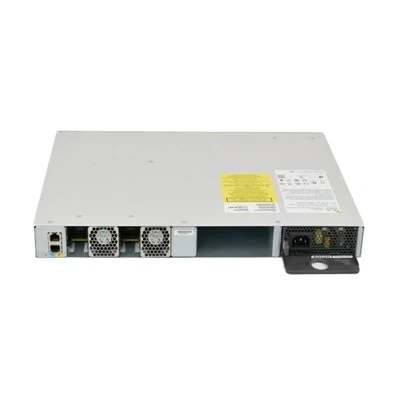
First, let’s circle back to what a basic router does, just to ground this. A standard router connects your devices—laptops, phones, smart TVs—to the internet, assigns local IP addresses, and directs traffic between your home or office and the wider web. A VPN (Virtual Private Network) is a separate tool that encrypts your internet connection, hides your IP address, and routes your traffic through a remote server, boosting privacy and letting you access geo-restricted content. A VPN router is the glue that marries these two functions permanently, without you having to set up VPN software on every single device you own. That’s the biggest, most game-changing difference right there.
Think about how you’d use a regular router + separate VPN service. You’d have to download a VPN app on your laptop, log in every time you turn it on, repeat that for your phone, your tablet, your work laptop, and even your kid’s gaming console. If one device slips through the cracks (say, your smart thermostat, which doesn’t have a native VPN app), that device’s traffic is exposed. With a VPN router, every single device connected to your network—wired or wireless—goes through that encrypted VPN tunnel automatically, no individual setup required. For a small business with 10 employees, that cuts down on so much admin time: no more helping the part-time admin install VPN on their work laptop, no more troubleshooting why the sales team’s hotspot isn’t routing through the office VPN. For a home user who mixes work and leisure on the same network, it’s one less thing to remember when you’re juggling a deadline and a Netflix queue.
Let’s talk about use cases, because this is where VPN routers stop being a “nice-to-have” and start being a “need” for a lot of people. First, remote work teams. We’ve worked with dozens of local marketing agencies and construction firms that have 3 to 15 people working off-site half the week. A few years back, almost all of these teams used individual VPNs, but the number of support tickets spiked when someone’s VPN expired mid-project, or a new hire couldn’t figure out how to set it up, leading to delays accessing client files. Switching to a VPN router eliminated that entirely. Every time an employee connects to the office Wi-Fi (or a dedicated guest network routed through the same router for visitors), their traffic is encrypted before it leaves the building. That’s a huge win for data privacy, especially when you’re handling client financials or personal information.
Then there’s the side of network accessibility and geo-restriction. A lot of our customers who travel for work—professors, trade show reps, independent consultants—complain about using hotel Wi-Fi. Hotel networks are notoriously unsecure, full of open hotspots where hackers can snoop on unencrypted traffic like your work emails or credit card info when you book a ride or pay for dinner. A VPN router lets you connect to the hotel Wi-Fi, but all your traffic is wrapped in encryption, so even if someone is monitoring the network, they can’t read it. For streamers who love foreign shows or sports that aren’t available in their region—say, a customer in Texas who wants to watch a UK Premier League stream that’s only available on a British broadcaster— a VPN router lets them pick a server in London, and every device on their home network routes through that server, so they can access content they wouldn’t otherwise be able to. No more switching VPN servers on your smart TV every time you want to watch a match.
Wait, but let’s get real—there are limits to what a VPN router can do, and we never sugarcoat that for customers. First, not all VPN services work with all VPN routers. A lot of cheap, off-the-shelf routers will only work with a handful of pre-approved VPN providers, so if you have a go-to VPN you’ve used for years, you’ll want to check compatibility before buying. Second, performance can dip if you pick a VPN server that’s thousands of miles away. I always tell customers: if your office is in Chicago and you pick a server in Tokyo, file transfers will be slower than if you used a local server, because the data has to travel so much farther. That’s not a flaw in the router—it’s a basic rule of internet physics, and it’s important to set realistic expectations.
Another common misconception: a VPN router makes you 100% anonymous online. That’s not true. It encrypts your traffic and hides your IP address from the sites you visit, but it doesn’t make you invisible to your VPN provider, your internet service provider (ISP), or anyone who has direct access to your account. It’s a layer of security, not a silver bullet. We always advise customers to pair a good VPN router with strong passwords and two-factor authentication for their accounts, not use it as a replacement for those basics.
Now, let’s talk about when a VPN router is the right call, versus when a regular router + a good VPN app is enough. If you’re a single remote worker with just a laptop and a phone, a regular router and a top-tier VPN app installed on those devices will probably work for you, and it’s cheaper. If you have multiple devices, a small team, or you hate messing with individual app setups, a VPN router is worth the investment. If you run a small business that handles sensitive data, or you travel regularly and use unsecure public Wi-Fi, it’s non-negotiable. We had a customer last year who owned a small dental clinic—they used to have front desk staff logging into patient portals over their personal hotspots, which was a huge HIPAA compliance risk. Swapping to a VPN router for their clinic network fixed that instantly, and they haven’t had a single security issue since.
As a router supplier, what do we look for in a good VPN router? First, consistent firmware updates. Routers need regular updates to patch security holes, and VPN routers especially need updates to work with new VPN protocols. We refuse to stock routers that haven’t had a firmware update in the last 12 months, because that’s a red flag for outdated security. Second, processing power. A VPN router has to encrypt and decrypt traffic for every device on the network, so a weak processor will lead to slow speeds, especially if you have multiple people streaming or downloading at the same time. We prioritize routers with fast, dual-core or quad-core processors for that exact reason. Third, the ability to run multiple concurrent VPN connections, and support for popular open-source VPN protocols like OpenVPN and WireGuard. WireGuard is newer, faster, and more secure than some older protocols, so any VPN router worth its salt should support it.
We also work with customers to set up their VPN routers when they buy them, because we know it can be overwhelming for someone who isn’t super tech-savvy. A lot of people will buy a router, take it home, plug it in, and get confused when they have to input VPN server details. Our team walks them through every step, and even offers 30 days of free support if they run into issues later. We’ve had customers come back and tell us that switching to a VPN router cut their work-related support tickets in half, and that they finally feel comfortable using their home network for sensitive work tasks without worrying about someone snooping.
I get that for some people, it’s easy to dismiss VPN routers as an overhyped product. A few years ago, they were more niche, mostly for tech enthusiasts, but as more people work remotely, stream content across multiple devices, and worry about data privacy, they’ve become a mainstream tool. We’ve seen demand for VPN routers grow by over 40% in the last two years, and it’s not just from big corporations—small businesses, teachers, stay-at-home parents, even people who run small online stores are realizing the value.
The key takeaway here is that a VPN router isn’t just another gadget. It’s a way to simplify network security, save time on tedious setup, and add a layer of protection that’s hard to get with individual VPN apps. Whether you’re a small business owner tired of troubleshooting VPNs for your team, a traveler who hates hotel Wi-Fi risks, or someone who just wants to make sure every device on their home network is private, a VPN router is worth considering.

If you’re curious to learn more about how a VPN router could work for your specific setup, our team is here to help. We work with all kinds of users, from small home setups to 50-person office networks, and can walk you through options that fit your budget and needs. We don’t do pushy sales pitches—we just share honest, straight-forward info, because we’ve been in this long enough to know that a happy customer is one who gets exactly what they need, no extra fluff.
Switches for Cisco References
- Cybersecurity and Infrastructure Security Agency (CISA). “Securing Remote Work Environments.” CISA.gov, 2023.
- OpenVPN Inc. “WireGuard vs. OpenVPN: A Performance and Security Comparison.” OpenVPN.com, 2022.
- Federal Trade Commission (FTC). “Public Wi-Fi: How to Stay Safe and Secure.” FTC.gov, 2024.
- IEEE Computer Society. “Virtual Private Network Router Architectures for Small Enterprise Networks.” IEEE Xplore, 2021.
AITI Tech Limited
AITI Tech Limited is one of the most professional routers suppliers for over 20 years, featured by quality products and good price. Welcome to buy bulk high-grade routers in stock here from our company. If you have any enquiry about pricelist, please feel free to email us.
Address: 6F, Haogong Building, Yannan Road, Futian District, Shenzhen, China
E-mail: require@hkaiti.com
WebSite: https://www.hkaiti.com/
